ai-ledger
20b — Git Explained Using Accounting Terms
~4 min read · Part 2 of 6 in Version Control for Accountants in the AI Era
PythonMuse LLC Series launch · 2026
You Already Understand Git. You Just Don’t Know It Yet.
Accountants hear the word “Git” and the brain immediately serves up:
- Black terminal windows.
- A 22-year-old in a hoodie.
- Some scary command starting with
git push --force. - A coworker’s screen full of green and red text you’re too embarrassed to ask about.
Take a breath.
Git is not software engineering.
Git is structured change tracking — and accountants invented structured change tracking. We just call it different things.
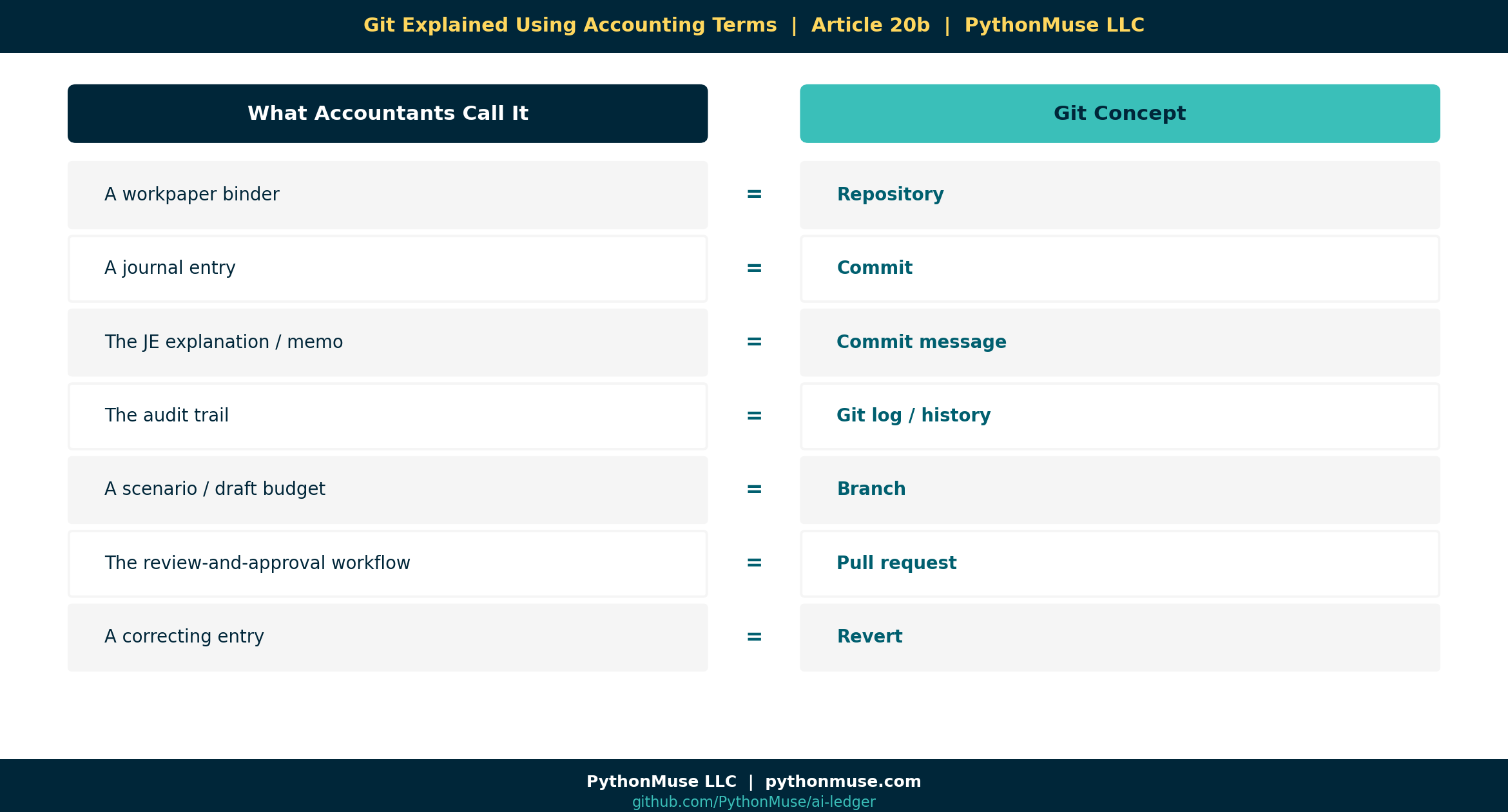
The Translation Table
| Git Concept | What Accountants Already Call It |
|---|---|
| Repository | A workpaper folder |
| Commit | A journal entry |
| Commit message | The JE explanation / memo |
| Git log / history | The audit trail |
| Branch | A scenario / draft version of the budget |
| Merge | Posting the approved entry to the final ledger |
| Pull request | The review-and-approval workflow |
| Revert | A correcting entry (without erasing history) |
| Tag | A closed reporting period |
.gitignore |
Files you intentionally leave out of the folder |
| Diff | The “track changes” view between two workpapers |
Read that table twice. Every Git concept is already part of how you work.
The only thing Git adds is consistency — it stops humans from forgetting to write the memo.
“But Accountants Already Use Primitive Version Control”
Of course we do. Look at how we name files when we’re trying to be careful:
Recon_2026-04-30_v2.xlsxQ1_Tieout_FINAL_post_review.xlsxLease_Schedule_(after Susan's comments).xlsxVariance_Analysis - DO NOT EDIT.xlsx
That’s all version control. It’s just manual, fragile, and impossible to audit.
Git is what happens when you stop doing it by hand:
- The “v2” is automatic.
- The “after Susan’s comments” is a real commit message.
- The “DO NOT EDIT” is enforced by a permission.
- The history is permanent — even if someone deletes the file.
A Commit, Translated
Here’s what a commit looks like conceptually (no terminal needed):
👤  Author:  Svetlana Toohey
🕓  Date:    2026-04-30 16:12
📝  Message: "Updated depreciation formula to reflect ASC 842 transition adjustment"
📂  Files changed:  depreciation_formula.py, journal_entries.csv
Now translate it into accounting language:
JE-2026-0412 — Posted by S. Toohey on 4/30/2026 at 4:12 PM. Updated depreciation per ASC 842 transition. Supporting workpapers: depreciation_schedule, JE detail.
Same shape. Same level of evidence. Same audit-friendly format.
The only difference: you didn’t have to remember to write it down.
A Note on File Types
📎 Why the example above uses
.py, not.xlsx.Git can technically track an Excel file or a PDF — it just can’t tell you what changed inside them. Those are binary formats, so Git only sees “this file is different now,” not a line-by-line diff.
That’s why this series is really about version-controlling the scripts and logic that produce the spreadsheet — not the spreadsheet itself. The
.xlsxyour CFO opens, or the PDF you send to the auditor, is an output. The formula, script, or query that built it is the thing you actually want a diff, a history, and a review trail for.
A Framework, Not a Tool
🛠️ Reminder — this is a framework.
Every concept above (commit, branch, PR, tag) exists in GitHub, Azure DevOps Repos, and AWS CodeCommit with nearly identical names. Pick the one your company already pays for. We use GitHub in this series because the UI is the friendliest for non-engineers.
The Fear Drop
Most accountants who get scared off Git get scared by the terminal.
But here’s the truth: you can do 95% of what’s in this series without ever opening a command line. VS Code, GitHub Desktop, and the GitHub website have buttons for everything we’ll cover:
- “Commit changes” → button.
- “Create branch” → button.
- “Open pull request” → button.
- “Revert this change” → button.
The terminal is optional. The mindset is not.
What’s Next
You now have the vocabulary. In Article 20c — How Finance Teams Should Structure AI Repositories, we turn that analogy into an actual folder structure your team can adopt next Monday.
Related Reading
Next in the Series
→ Article 20c — How Finance Teams Should Structure AI Repositories
A note on how this article was made. This article started with me. The accounting/Git analogies came out of years of explaining to colleagues why “save-as-with-a-date” was almost-but-not-quite version control. GitHub Copilot (Claude Sonnet 5.5 and Opus 4.7) then built the final article and all visual concepts — working from my direction and feedback at each step. I reviewed every output, pushed back on things I didn’t like, and made all final content decisions. That process — bringing your own experience, using AI to build and iterate, and staying in the editorial seat throughout — is exactly what this series is about.
By Svetlana Toohey