ai-ledger
20c — How Finance Teams Should Structure AI Repositories
~5 min read · Part 3 of 6 in Version Control for Accountants in the AI Era
PythonMuse LLC Series launch · 2026
A Repository Is Just a Better Folder
Accountants already know how to organize evidence. Every audit folder, every close package, every reconciliation folder follows the same instinct:
Raw stuff over here. Working stuff over here. Final stuff over here. Supporting evidence over there.
A finance AI repository is the same idea — just enforced by structure instead of by hope.
Why this is actually a Git article, not just a folder-organization article: Git gives you a genuinely useful line-by-line diff and full history on text-based files (.py, .csv, .md, .sql) — but only a blunt “this file changed” on binary files (.xlsx, .pdf). (Article 20b covers why.) The layout below exists specifically to keep the things Git can meaningfully track separate from the things it can only babysit.
When the structure is good, three magical things happen:
- AI can find what it needs without asking.
- Reviewers can audit what changed without re-reading everything.
- New team members can onboard in an afternoon, not a quarter.
The Recommended Layout
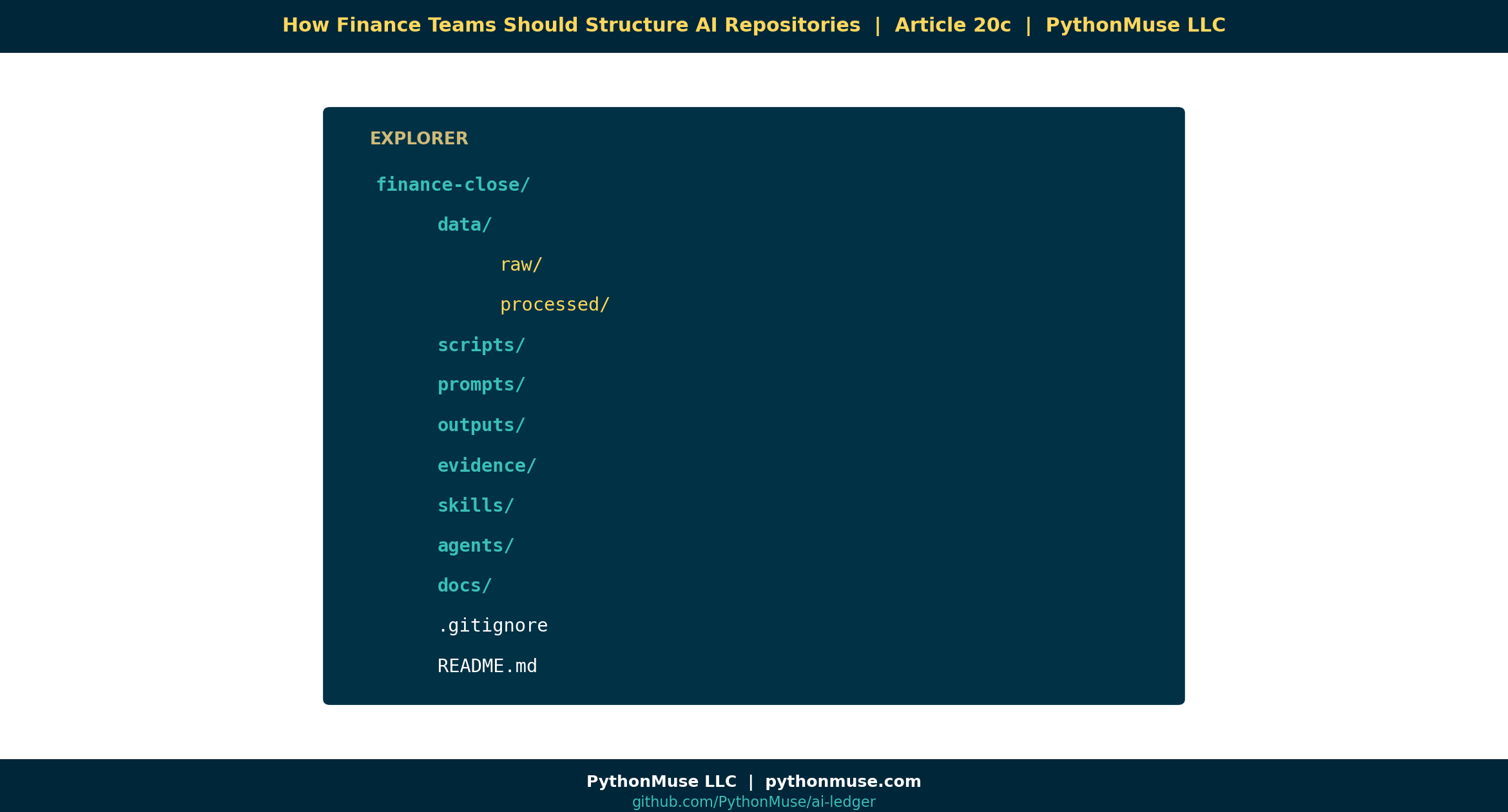
Here is the layout we recommend for finance teams adopting AI workflows:
finance-close/
│
├── data/
│   ├── raw/              ← Source files. NEVER edited. Read-only mindset.
│   └── processed/        ← Cleaned, transformed, ready-to-use outputs.
│
├── scripts/              ← Reusable Python (or other) scripts. The "SOPs for the computer."
├── prompts/              ← Saved AI prompts. Version-controlled.
├── outputs/              ← Reports, schedules, deliverables. Regeneratable.
├── evidence/             ← Audit artifacts: screenshots, tie-outs, sign-offs.
├── skills/               ← AI Skills (per article 17).
├── agents/               ← AGENTS.md / CLAUDE.md (per article 17b).
├── docs/                 ← Plain-English documentation, SOPs, decision logs.
│
├── .gitignore            ← What to deliberately exclude (PII, temp, secrets).
└── README.md             ← The "front page" of the folder.
That’s it. Eight folders and two files. Most finance repos do not need more.
The Four Principles That Make This Work
1. Raw data never changes.
data/raw/ is sacred. If your bank export from April 30 lives in raw/2026-04-bank.csv, that file is immutable. Every script reads from it. Nothing writes back into it.
This is the same principle as source documentation in audit. The bank statement doesn’t get edited — it gets referenced.
2. Outputs must be regeneratable.
If you delete everything in outputs/, your scripts should be able to rebuild it from data/raw/ plus scripts/.
This is the reproducibility test. If a number can’t be reproduced from inputs + logic, it isn’t an output — it’s a guess.
3. Prompts are assets.
Most teams treat prompts as throwaway chat messages. They’re not. A good prompt is intellectual property that took hours to refine. Keep it in prompts/, give it a filename, version it.
If your CFO asks “what prompt produced this commentary?” you should be able to answer with a file path, not a screenshot.
4. Scripts are workpapers.
The Python (or SQL, or VBA) file that builds your reconciliation is a workpaper. Comment it like one. Review it like one. Sign off on changes to it like one.
This is the heart of Accounting as Code: financial logic stops living in cells you can’t audit and starts living in files you can.
Real Examples From Accounting Work
The same layout serves wildly different use cases:
| Use case | What lives in data/raw/ |
What lives in scripts/ |
|---|---|---|
| Bank reconciliation | Bank exports, GL extract | reconcile_bank.py |
| Variance analysis | Budget, actuals | variance_engine.py |
| Accrual support | Vendor invoices, contracts | accrual_calc.py |
| Payroll validation | Payroll register, headcount | payroll_check.py |
| Vendor analysis | AP transactions | vendor_clustering.py |
…and what comes out the other end, in outputs/:
| Use case | What lives in outputs/ |
|---|---|
| Bank reconciliation | Reconciliation report, exception list |
| Variance analysis | Variance schedule, commentary draft |
| Accrual support | Accrual schedule, JE backup |
| Payroll validation | Validation report, exception flags |
| Vendor analysis | Top-N vendor report, anomalies |
Same skeleton. Different content.
A Framework, Not a Tool
Same reminder as always → see the hub’s A Framework, Not a Tool. Whether the repo lives on GitHub, Azure DevOps Repos, or AWS CodeCommit, the folder structure above is identical. The hosting platform is interchangeable; the discipline is not.
One caveat for AWS CodeCommit users: enforce branch protections and review approvals via IAM + approval rule templates (CodeCommit’s equivalent of GitHub’s branch protection rules).
“But What About Sensitive Data?”
The .gitignore file is your friend. Common things finance teams exclude:
- Anything under
data/raw/PII/ - Anything matching
*.secret,*.env,*credentials* - Anything large enough that GitHub will refuse it (over 100 MB)
- Local working files (
~$*.xlsx,.DS_Store, etc.)
If you wouldn’t put it in the audit folder you hand to PwC, don’t put it in the repo. The structure forces you to be deliberate about evidence, not careless.
A Design Question Worth Sitting With
Here’s a debate we’re deliberately not settling in this article: should you track raw data in git at all — and if so, in what format?
Git can hold an Excel export or a PDF, but as noted above, it can only tell you “this file changed,” not what changed inside it. If you want raw data in version control to actually be diffable and reviewable — not just backed up — that argues for landing it in text-based formats (CSV, Markdown, .txt) rather than .xlsx exports or PDFs.
That’s a bigger decision than it looks: it touches how source systems export data, what your team is used to opening, and how much re-tooling a “no Excel in the repo” rule would require. It probably deserves its own article. For now, the point is just to name the question — don’t let “we put files in a repo” quietly become “we put Excel files in a repo” without deciding that on purpose.
What’s Next
Now that the folder has shape, we need to compare it head-to-head with the tool everyone is currently using: the shared drive. In Article 20d — GitHub vs. The Shared Drive, we put them side-by-side and let the differences speak for themselves.
Related Reading
- Reproducible Accounting
- The Workings Layer Method
- Skills and Agents for Accountants
- Your First CLAUDE.md
- What the Heck Is a Script?
- One-Time to Repeatable Workflows
Next in the Series
→ Article 20d — GitHub vs. The Shared Drive
A note on how this article was made. This article started with me. The folder layout came out of real engagements where I kept seeing teams build AI workflows on top of shared-drive chaos and wondering why nothing was reproducible. GitHub Copilot (Claude Sonnet 5 and Opus 4.7) then built the final article and all visual concepts — working from my direction and feedback at each step. I reviewed every output, pushed back on things I didn’t like, and made all final content decisions. That process — bringing your own experience, using AI to build and iterate, and staying in the editorial seat throughout — is exactly what this series is about.
By Svetlana Toohey
© 2026 PythonMuse LLC. Content licensed under CC BY-NC-SA 4.0; code licensed under MIT.